.png)
How To Edit Processor Name(Windows) In Your Machine
- Divyansh Singh

- May 8, 2020
- 1 min read
This Is A Trick Only For Computer Users. This Is Not Really A Good Trick But You Can Befool Your Friends BY This. As You All Know That Every Computer Comes With A Processor Inside It. For Example:- I Have A Acer Laptop With Intel Pentium Processor Which Really Lags Very Much By USing This Trick I Can Just Edit My Processor Name In Properties.

Step 1:- Open Notepad And Type The Following Code
Windows Registry Editor Version 5.00
[HKEY_LOCAL_MACHINE\HARDWARE\DESCRIPTION\System\CentralProcessor\0]
"ProcessorNameString"="Intel i9 Processor"
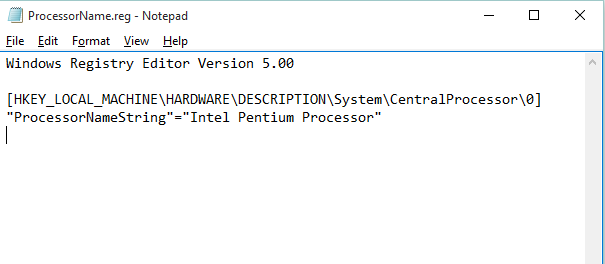
And Save The Notepad File With FileName.reg After Saving The File Open The Registry File And Give The Administration Permission
And You Will See Your Processor Name Changed !!

Dhanyvad! .
.
.
.
.
.
.
.


Comments